
Best OBD2 Scanner for DIY Car Maintenance (2026): Top Bluetooth & Professional Scan Tools Compared
This post contains affiliate links. We may earn a commission if you purchase through our links, at no extra cost to you.
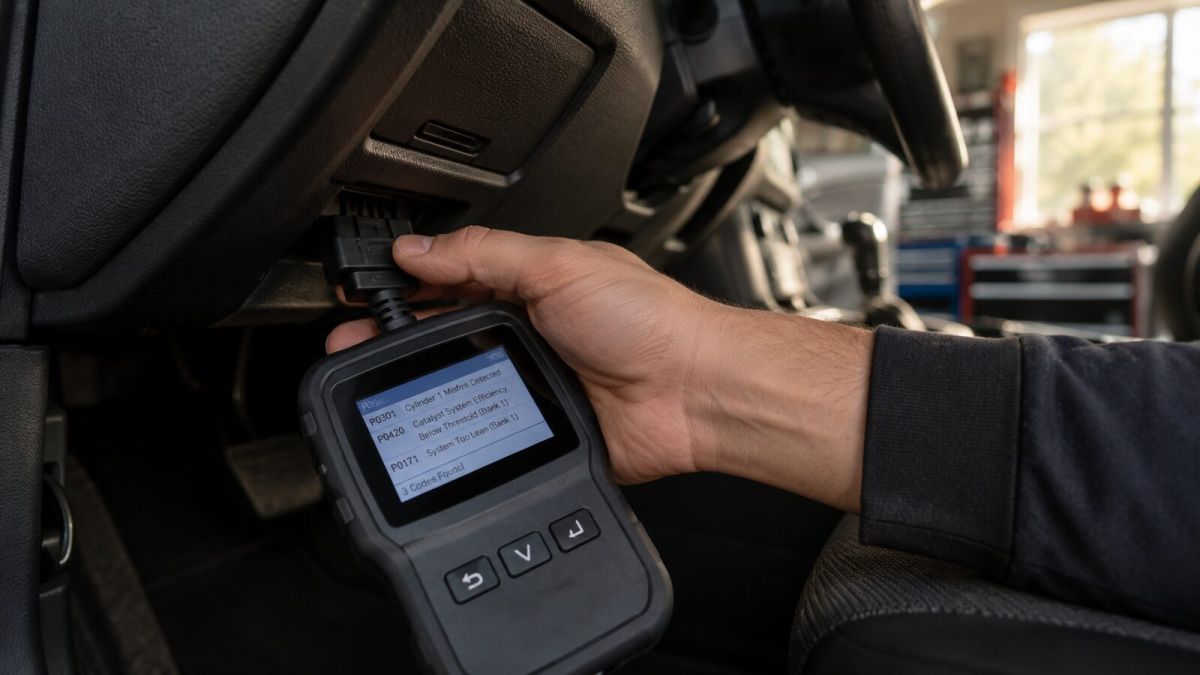
For decades, diagnosing a car problem meant taking it to a mechanic and paying a "diagnostic fee" just to find out why the Check Engine light came on. Today, anyone can plug an OBD2 (On-Board Diagnostics II) scanner into their car and get the same information in seconds.
Why You Need an OBD2 Scanner
An OBD2 scanner is arguably the single most important tool for modern DIY car maintenance. By reading the diagnostic trouble codes (DTCs) generated by your vehicle's computer, you can identify issues ranging from a loose gas cap to a failing catalytic converter.
1. Top Pick: BlueDriver Bluetooth Pro
The BlueDriver is a favorite among DIYers for its combination of power and ease of use. It plugs into your OBD2 port and connects wirelessly to an app on your smartphone.
BlueDriver Bluetooth Pro OBDII Scan Tool
$119.95
Top pick for iOS/Android integration and live data.
What sets BlueDriver apart is its Repair Reports. Instead of just giving you a code (like P0300), it cross-references a database of millions of verified fixes by professional mechanics, telling you the most likely cause of your specific problem and even linking to the parts you need.
2. Best Budget Option: Autel AutoLink AL319
If you prefer a standalone device with a screen and just want the basics, the Autel AL319 is a fantastic choice.
Autel AutoLink AL319
$35.99 For more detailed measurements and vehicle specifications, explore our comprehensive complete car maintenance checklist. For more detailed measurements and vehicle specifications, explore our comprehensive dashboard warning lights guide.
Best budget option for reading and clearing basic codes.
It's incredibly simple to use: plug it in, and the color screen will immediately tell you the codes and their definitions. It also has a one-click I/M readiness key for quick State Emissions readiness checking.
3. Best for Advanced Diagnostics: Innova 6100P
While basic scanners only read engine codes, the Innova 6100P goes further.
Innova 6100P
$139.99
Best for ABS/SRS diagnostics and battery testing.
It can read and clear ABS (Anti-lock Braking System) and SRS (Airbag) codes on most vehicles. It also features a built-in battery and alternator test, which is invaluable for diagnosing starting and charging issues.
How to Use an OBD2 Scanner
- Locate the OBD2 port (usually under the dashboard on the driver's side).
- Plug in the scanner with the ignition off.
- Turn the ignition to the "ON" position (do not start the engine).
- Follow the on-screen prompts or open the corresponding app to read the codes.
Once you have the code, you can decide whether it's a repair you can tackle yourself or if you need to take it to a professional.
EV vs Fuel Cost Savings Calculator
Download the Free 2026 Car Buying & EV Checklist
Avoid expensive dealership markups and EV battery pitfalls with our verified 15-point inspection checklist.
Instant digital access. No spam, unsubscribe anytime.

Comments
Be the first to comment on this article.
Leave a comment